
Comparison Tool - Bundle Utility
Find version differences between your bundle set
Comparison Tool - Bundle utility
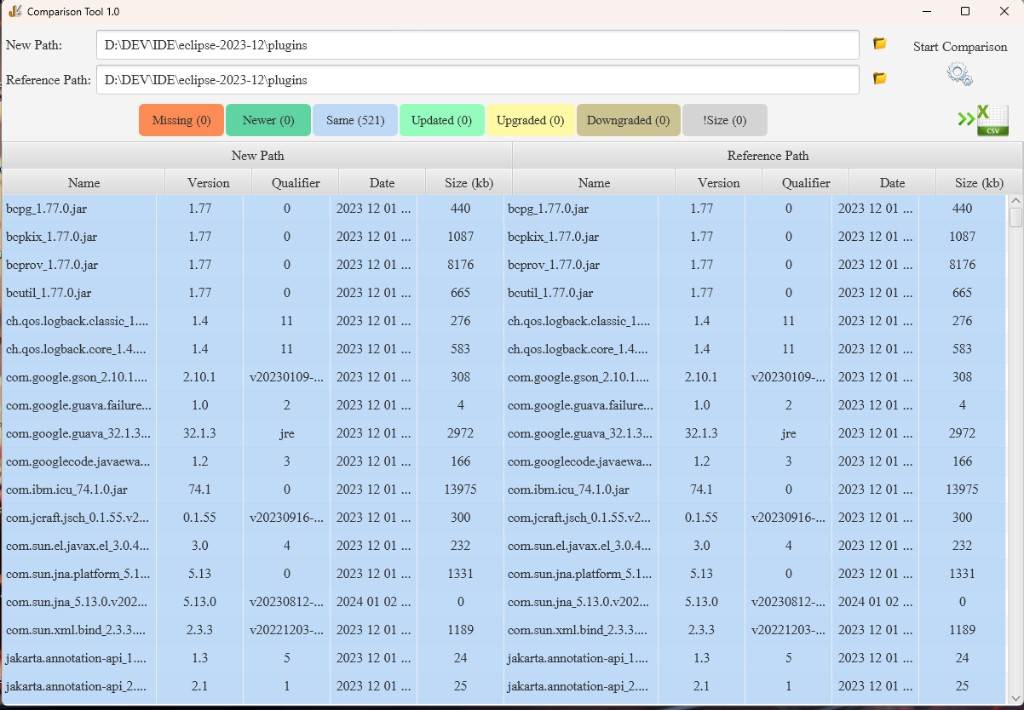
This application is used to find version differences between 2 folders containing some OSGI bundles. It could be extended to manage more file types using rexep or another custom algorithm.
Download (Windows):
- Download the Portable ZIP.
- Unzip the archive to a local folder.
- Open the unzipped folder and run
bin/ComparisonTool.bat(double-click, or from a terminal). - Do not use a standalone
.exenext to a.jar— that wrapper is legacy and fails on modular JPMS apps. The ZIP is the supported launch path.
Prefer the portable ZIP: it includes a custom runtime built with jlink, so no separate JDK install is required.
Press F11 to toggle fullscreen.
You can browse the source code on: GitHub ComparisonTool repository.